|
Thermaltake Blue Orb:
(aka "BLORB")
Date Reviewed: October 15, 2000
Reviewed By: Jason Rabel
Company: Thermaltake
Company URL: http://www.thermaltake.com
Cost: $12.99 USD (at Plycon)
First Impressions:
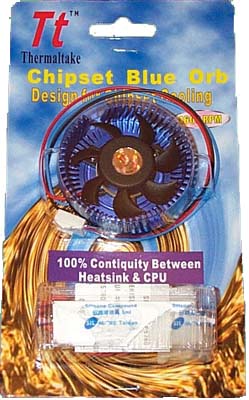
Well, it was bound to happen sooner or later. The
need for better cooling on video cards & motherboards has led to the
invention of the Blue Orb from Thermaktake. Apparently the Blue Orb is going to
be sold in a more retail style package that includes lots of extra goodies.
Along with getting the standard Blue Orb that has a 3-Pin connection, you also
get a 3-pin to 4-pin adapter (a nice hooded one I might add), some standard
heatsink compound (the same one found in Alpha heatsink packages), a thermal
pad, and two plastic pins.
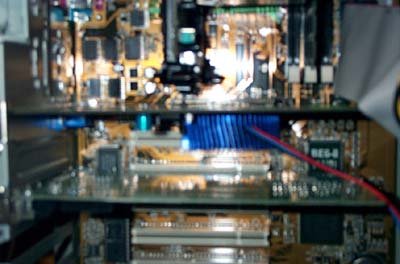
The Blue Orb is 15mm tall so it will cover the
PCI slot adjacent to your AGP slot, which is okay in most respects since that
PCI slot is a shared IRQ with the AGP slot. You can see in the picture below
exactly how much it blocks the PCI slot. The Orb is about 50mm in diameter,
which is just the right size when I fitted it on both GF2MX & GF1DDR video
cards.
The fan is of course made by Thermaltake also,
and is rated at 4600RPM & 15CFM. It's a ball-bearing fan rated for 50,000
hours MTBF so you know it's not going to die on you any time soon. Still if you
have a dust problem in your case, it's always recommended to clean it our
regularly with a can of compressed air. (take your computer outside first or the
dust will just get sucked back in your computer.) One great thing I noticed
about the blue orb is that it is very silent, the fan is rated at 26dba which
basically added no extra noise over my power supply fan & YS-Tech on the
CPU. Here's the spec's in a chart form for you people that like it like that:
|
Part Number
|
TGF020
|
|
HSF Dimensions
|
50x50x15 mm
|
|
Rated Voltage
|
12 v
|
|
Rated Current
|
.16 A
|
|
Rated Speed
|
4600 RPM
|
|
Max Air Flow
|
15 CFM
|
|
Noise Level
|
26 dba
|
|
Bearing Type
|
Ball Bearing
|
|
MTBF
|
50,000 Hours
|
Installation:
Like I said before, Thermaltake includes the
ability to mount the Blue Orb using push-pins (which gives the ability to use
thermal compound between GPU & HS), or if you don't have any holes on your
card they include a piece of thermal tape to mount it with. After doing a little
sizing, the Blue Orb only really fits holes that are more of the offset style
around the core (Basically the equivalent of the Tennmax style B, read that
review to see what it looks like). It doesn't really fit the diagonal hole style
which is more common on motherboards without a little homestyle rigging...
I *did* have to file a little around one of the
pin holes on the Orb because I had something on my GF2MX card that was very
close to the mounting hole, but that's no big deal, I had to do it with my
Tennmax Lasagna BGA cooler too. You may or may not have to do this for your
particular video card.
Go To Page 2
|


 eWeek is the essential technology information source for builders of e-business. Focuses on e-commerce, communications and Internet-based architecture.
 Oracle Magazine contains technology-strategy articles, sample code, tips, Oracle and partner news, how-to articles for developers and DBAs, and more.
 Dr. Dobb's Journal enables programmers to write the most efficient and sophisticated programs and help in daily programming quandaries.
 InformationWeek is the only newsweekly you'll need to stay on top of the latest developments in information technology.