|
Tweeking Device 2
Distributor: HighSpeedPC
Product: Tweeking Device 2
Street Price: $45 including shipping
Date Reviewed: October 21, 2000
Reviewed By: TySoft
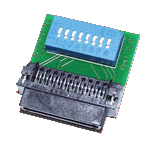
Specifications:
Size: 1 1/4" L X 1 3/8"
W Switches 8 Switches / 1 Bank
Power: None Required
Warranty: Lifetime Warranty
Introduction:
Have you ever wanted a GFD that requires no external power
connector? Have you ever wanted a GFD that is very compact? Have you ever wanted
a GFD that works great for your AMD SlotA Athlon or Thunderbird CPUs? I did, and
I didn't think such a gold finger device existed until I found the Tweeking
Device 2. I sat down with this golden finger device for a few days, and quickly
learned that I'll never go back to any other gold fingers.
Installation:
The Tweeking Device 2 GFD was extremely easy to install. All
you have to do is open the case of your SlotA CPU and located AMD's debug port.
Once located, the GFD easily mounts on it. Innovatek (the smart mofos who
created the TD2) included a handy dandy installation paper that included
instructions on one of the methods of opening the Athlon's case as well as a
table with switch settings.
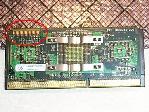
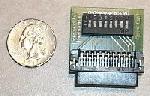
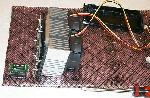
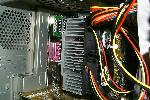
(Click on the images to see close-ups)
There are 8 switches on the TD2. Four of those control the
voltage of the CPU, the other four manage the multiplier. The adjustment of the
CPU frequency is from 300 to 1050 MHz in 50 MHz steps. Adjustment of the core
voltage is from 1.3v to 2.05v in 0.05v steps. The switches themselves are easy
to change, each switch has positive (+), neutral (o), and negative (-) settings.
The TD2 does not have L2 cache control, but this isn't a an issue to most power
users (with newer KX133 motherboards.) These boards allow for L2 cache control
in the board's BIOS. Also, if you leave the four voltage switches in their
centered (disabled) position, it will allow your board to control the voltage in
the BIOS, if it supports it.
Performance:
I have a SlotA Athlon Thunderbird 700 with a 900 core. I
expected to be able to push about 1ghz out of this chip. My initial boot up
target was 950mhz. It booted at 950mhz with 1.7 volts, however failed to
complete the post. I went in my BIOS and upped the voltage to 1.75. The computer
booted into Windows and was 100% stable! Now just like any greedy over clocker,
the first words that come to my mind were "More! I want more! Faster...
faster!!" I then upped the multiplier via the switches to 10.0 multiplier.
I also upped my voltage to 1.80 as well. Boom! Stable, my target speed. The Tweeking
Device 2 handles multipliers of 3.0 - 10.5 in .5 multiplier increments. It also
supports voltage adjustments of 1.3v to 2.05 volts in .5 volt increments!
Final Score and Comments:
Rating: 9.5/10
Pro's:
Requires no external power connection
Decent
price ($45 including shipping)
Smallest GFD on today's market
Con's:
No L2 cache control for older boards
Back to the main page!
|


 eWeek is the essential technology information source for builders of e-business. Focuses on e-commerce, communications and Internet-based architecture.
 Oracle Magazine contains technology-strategy articles, sample code, tips, Oracle and partner news, how-to articles for developers and DBAs, and more.
 Dr. Dobb's Journal enables programmers to write the most efficient and sophisticated programs and help in daily programming quandaries.
 InformationWeek is the only newsweekly you'll need to stay on top of the latest developments in information technology.